







Changing your domain name can be a smart business decision, but it is also one of the easiest ways to damage your SEO if done incorrectly. Many website owners experience sudden traffic drops, indexing issues, or ranking loss simply because the migration process was rushed or incomplete.
The good news is Moving a website to a new domain does not automatically hurt SEO. Problems usually come from missing steps or doing them in the wrong order.
This guide walks you through how to move your website to a new domain safely, what to prepare in advance, and what to monitor after the move so you can preserve your search visibility.
When Does It Make Sense to Change Your Domain?
Before starting, it is important to confirm that a domain change is actually necessary.
Common Valid Reasons
-
Brand upgrade or company rebranding
-
Moving from a subdomain to a main domain
-
Switching to a more suitable domain extension
-
Replacing a domain with a negative SEO history
When You Should Think Twice
-
The change is purely cosmetic
-
The website is very new and has no SEO history
-
There is no clear business or branding reason
A domain migration is a technical project, not a simple setting change.
What to Prepare Before You Move
Proper preparation is the most important factor in a successful migration.
Make Sure You Control Both Domains
You must have full control over:
-
DNS settings
-
Web hosting or server access
-
Redirect configuration
Create a Full Backup
Back up:
-
Website files
-
Databases
-
Current URL structure
This allows you to recover quickly if something goes wrong.
Keep the URL Structure the Same If PossibleSearch engines rely heavily on page level signals. Keeping paths consistent helps preserve rankings.
Plan 301 Redirects in Advance
Every old page should redirect to its corresponding new page. Redirecting everything to the homepage is one of the most common SEO mistakes.
Check the New Domain’s History
Make sure the new domain does not have existing penalties or spam history.
Confirm DNS and SSL Readiness
Before launch, ensure:
-
DNS resolves correctly
-
SSL certificates are ready
-
The site works on the new domain in testing mode
Step by Step Website Migration Process
Step 1 Deploy the Website on the New Domain
The content on the new domain should be identical to the old one. Avoid publishing it publicly before redirects are in place.
Step 2 Set Up 301 Redirects
301 redirects tell search engines that a page has permanently moved.
Best practices:
-
Redirect each old URL to its matching new URL
-
Use 301 redirects, not 302
-
Avoid redirect chains or loops
This step is critical for preserving SEO value.
Step 3 Update Internal Links
Replace old domain references in:
-
Navigation menus
-
Page content
-
Images and resources
Internal links should point directly to the new domain.
Step 4 Update SEO Configuration
Review and update:
-
Canonical tags
-
Sitemap URLs
-
Robots rules if applicable
These signals help search engines understand the migration correctly.
Step 5 Notify Search Engines
Submit the new sitemap and monitor indexing status. This helps speed up discovery of the new domain.
Keep the Old Domain Active
Maintain redirects for at least six to twelve months. Removing the old domain too early can cause ranking loss.
Monitor Traffic and Indexing
Short term fluctuations are normal. Large or continuous drops require investigation.
Check for Redirect Errors
Look for:
-
404 pages
-
Broken links
-
Redirect loops
Fixing these early prevents long term SEO damage.
Common Domain Migration Mistakes
These are the most frequent causes of support tickets and SEO loss:
-
Redirecting only the homepage
-
Using temporary redirects
-
Changing content and structure during migration
-
Forgetting internal links
-
Shutting down the old domain too soon
-
Switching DNS before the site is ready
Avoiding these mistakes prevents most migration problems.
DNS and Domain Level Questions Explained
Will DNS Changes Affect SEO?
DNS changes themselves do not affect rankings, but downtime or misconfiguration can.
Should TTL Be Lowered Before Migration?
Lowering TTL in advance can help speed up DNS propagation during launch.
Do I Need a New SSL Certificate?
Yes. Each domain requires its own valid SSL certificate.
What About Email and Subdomains?
Email and subdomains need separate DNS planning and should not be overlooked during migration.
A successful website migration depends on stable domain control.
With nicenic, you benefit from:
-
Reliable DNS management
-
Clear domain ownership control
-
Support for advanced DNS and SSL configurations
-
Quick confirmation when issues are domain related versus hosting or SEO related
This helps you isolate problems faster and avoid unnecessary troubleshooting.
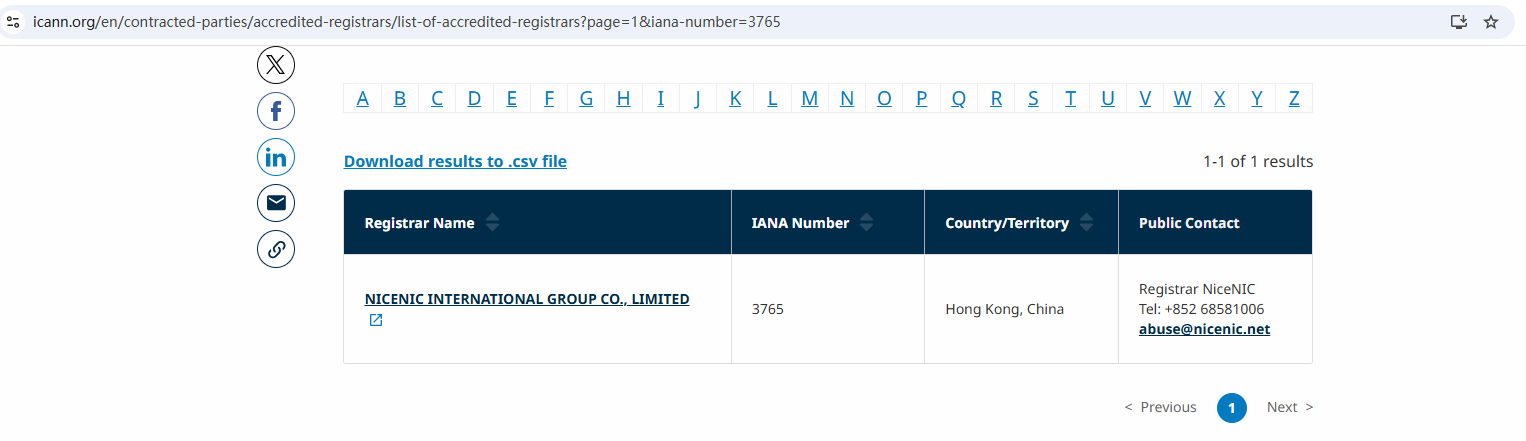
As an ICANN accredited registrar, Nicenic operates under strict global policies, ensuring transparency, security, and proper domain management throughout the migration process.
How long does it take for rankings to recover?
Most sites stabilize within weeks if redirects and structure are correct.
Can I change content during migration?
It is strongly recommended to migrate first, then make content changes later.
Will my old domain still receive traffic?
Yes, and that traffic should be passed through 301 redirects to the new domain.
Can I test the new domain before launch?
Yes. Testing before switching DNS is best practice.
Moving a website to a new domain is not about speed, but about precision. SEO preservation depends on correct redirects, clean DNS transitions, and patience after launch.
With proper planning and a reliable registrar, domain migration can be smooth and predictable instead of stressful.
Nicenic stands as that trusted partner for brands, developers, entrepreneurs, and businesses worldwide.
Next News: Domain Ownership Proof: How to Show You Control a Domain