





- Domain search process
- Domain configuration
- Payment settings
Domain search process
When you look for a domain using our Domain Name Search, youoll find the information regarding its availability with a list of similar domain names you may be interested in. Our Domain search tool allows to check options for a number of names and set various filters:
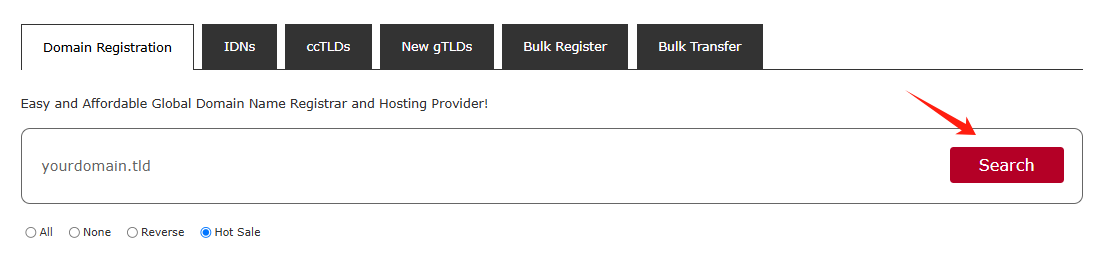
You can enter fully-qualified domain names (Top-Level Domains or TLDs like .com, .net, etc.) or select TLDs from the list:
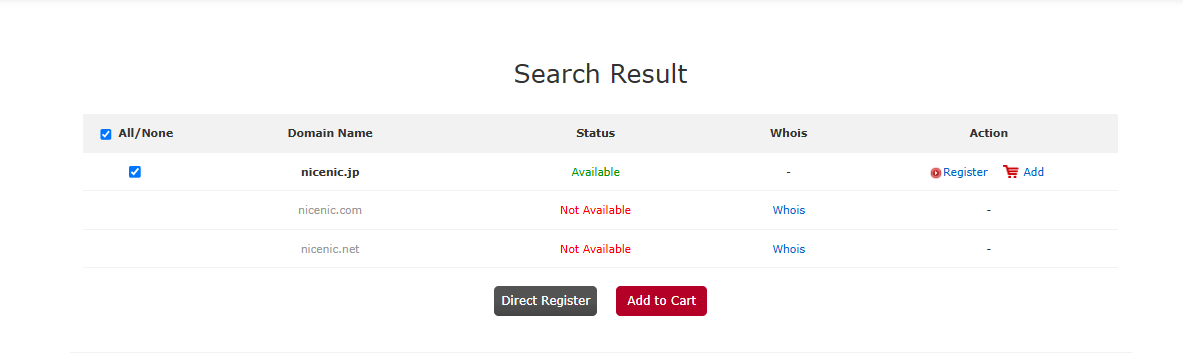
There are several different statuses that a domain can have:
Available: The domain name is available for registration. You will see the Add to Cart button next to these types of domain names.
Not Available: The domain name is either registered by someone else or reserved by the Registry.
Click on the "Register" or pAddq button to select the additional products you'd like.
Domain configuration
If you are not logged in, you will be prompted to enter your m.unionroom.cn account username and password on the next page. If you do not have a m.unionroom.cn account, you will be able to create one on the same page.
Click on the "Add" button to select
If you register a domain name for the first time, Please provided your contact information (the postal address, phone, etc.).
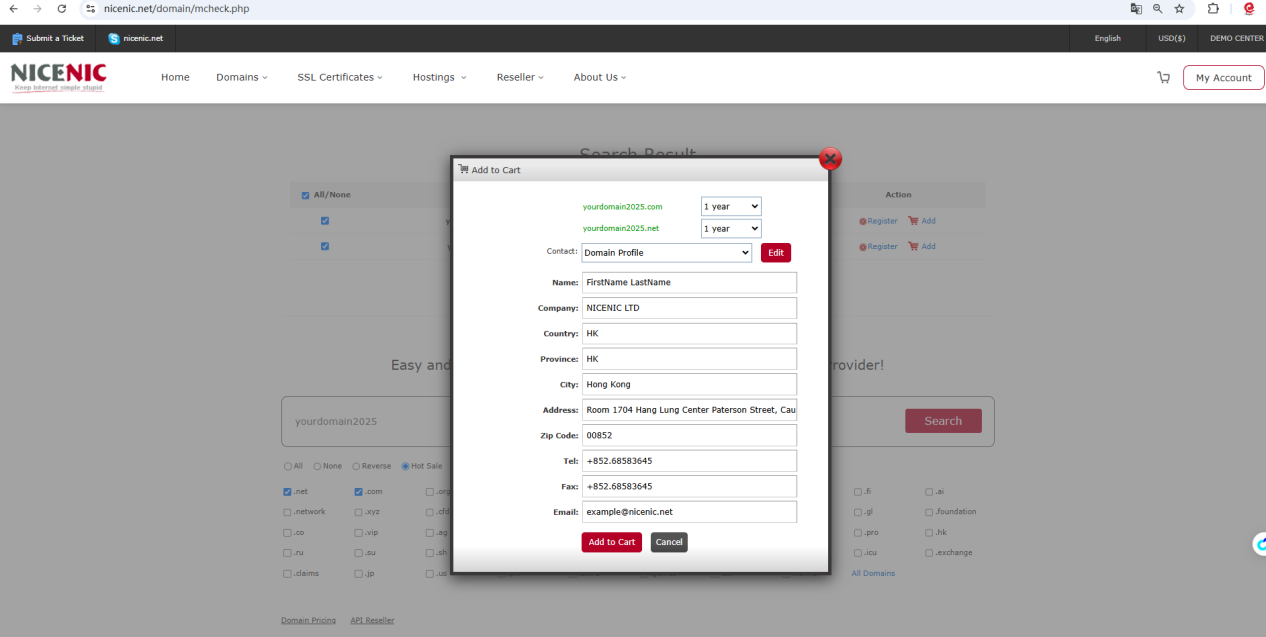
Or you can Click on the "Register" button to select and provided your contact information (the postal address, phone, etc.).
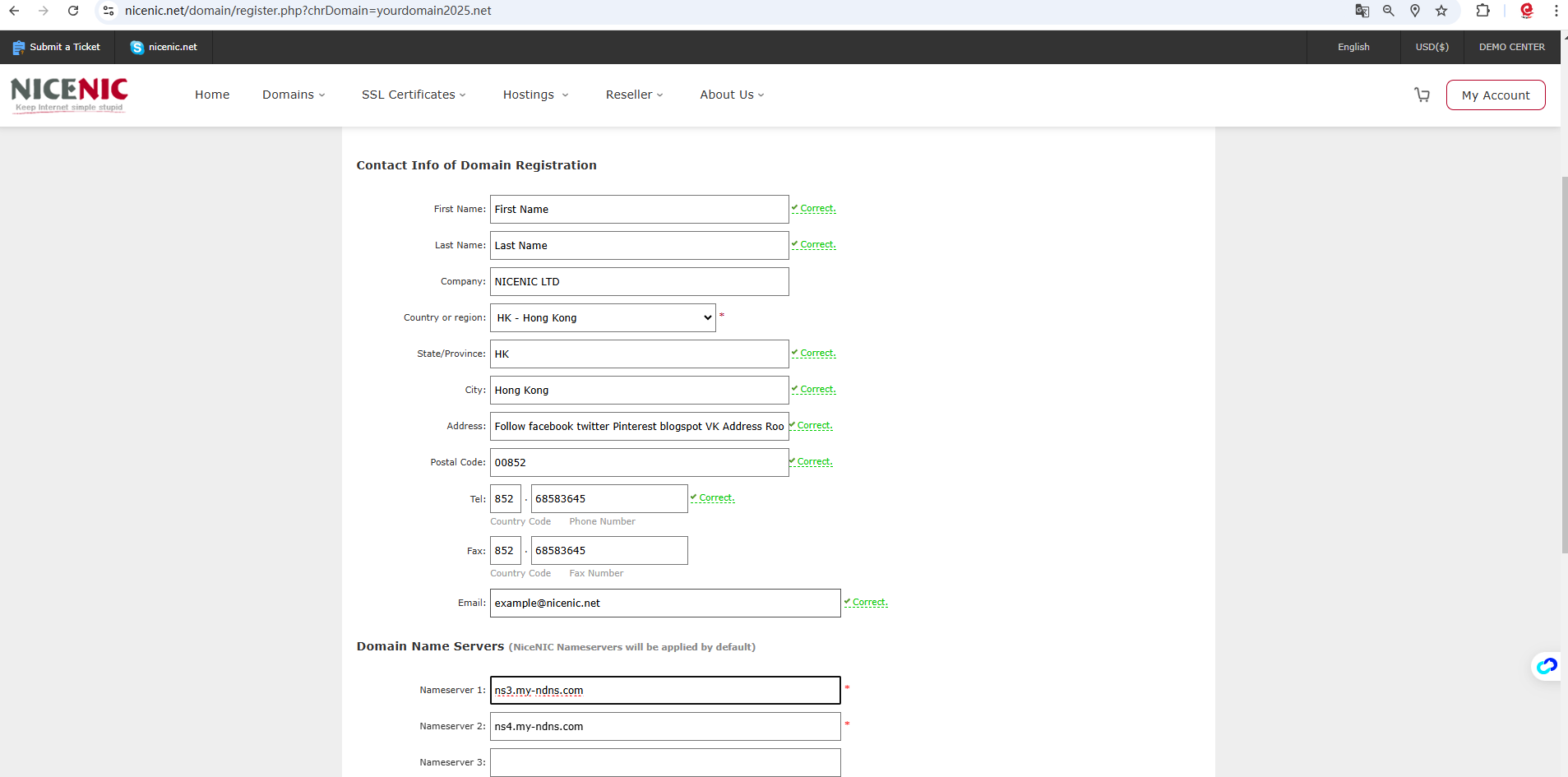
Click on the "Add to Card"

Click on the "Check Out"
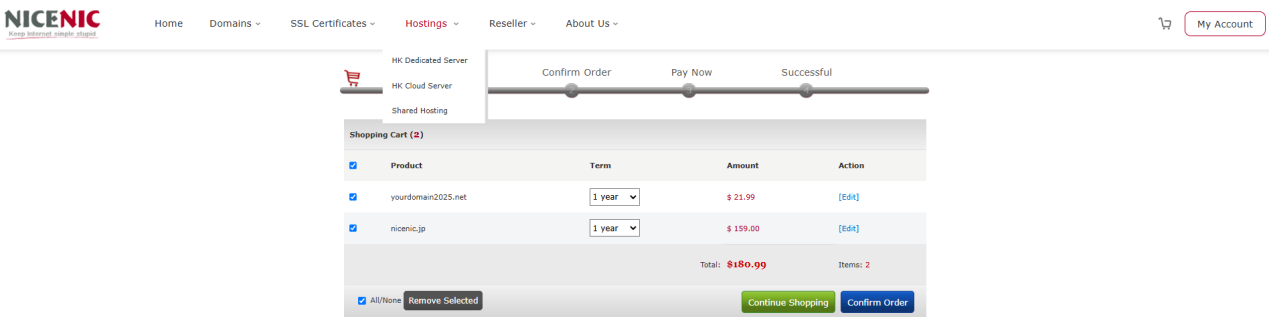
Click on the "Confirm Order"
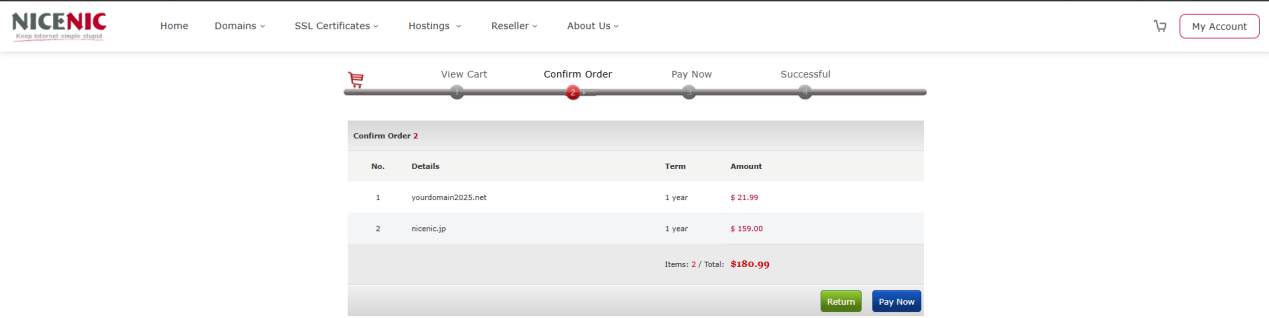
Click on the "Pay Now"
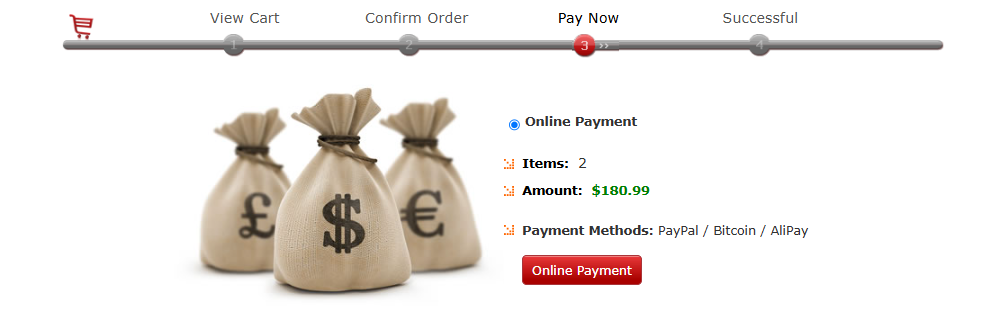
When you are ready to place your order, click on the Online Payment button
The selected items are processed one by one, and when your order is complete, the order summary will be sent to your primary email address.
- Domain Names
- Registering Domains
- Domain Reseller
- Domain Pricing
- Whois Lookup
- Our Products
- Dedicated Server
- Cloud Server
- SSL Certificates
- Business Email
- Company Profile
- About NiceNIC
- Domain News
- Payment Method
- Agreements
- Customer Support
- Help Center
- Submit a Ticket
- Contact Us
- Report Abuse
- Follow





- Address
- ROOM 52 12/F BLOCK B, WING CHAI INDUSTRIAL BUILDING, 27-29 Ng Fong St, San Po Kong, Hong Kong