





Adding Default WHOIS Contact
When you create an account, the contact information is the same for your domain names' registrant, administrative, technical and billing. It is important to keep this information up to date at all times as it is used to notify the pertinent contact of changes or requests for your domain names.
Steps
Login into your account.
Select the My Account button My Prodoucts -- Domain name.Find the domain name whose whois information you want to modify.
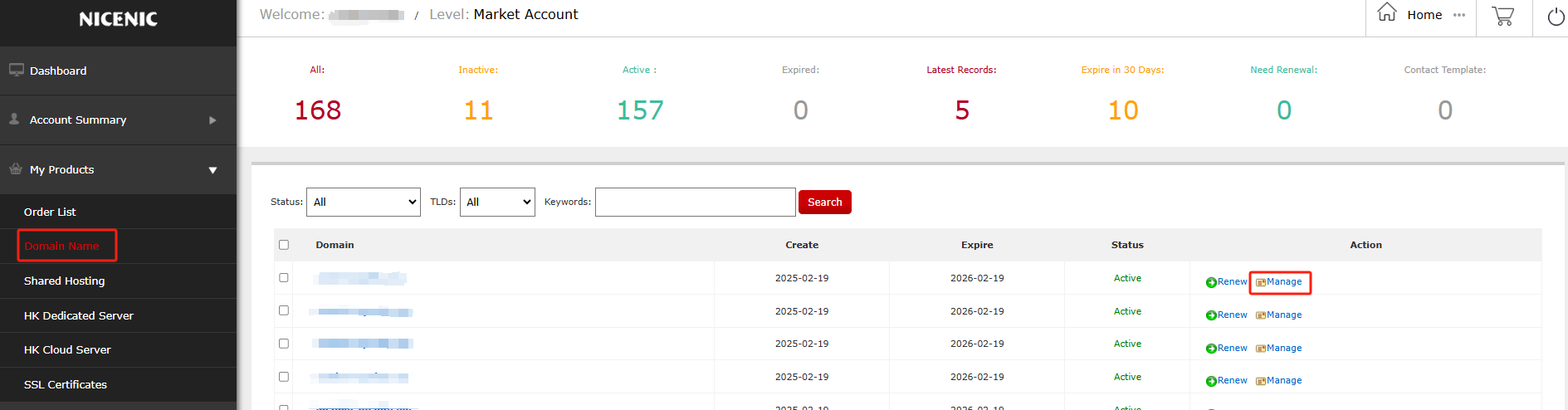
Click Manage
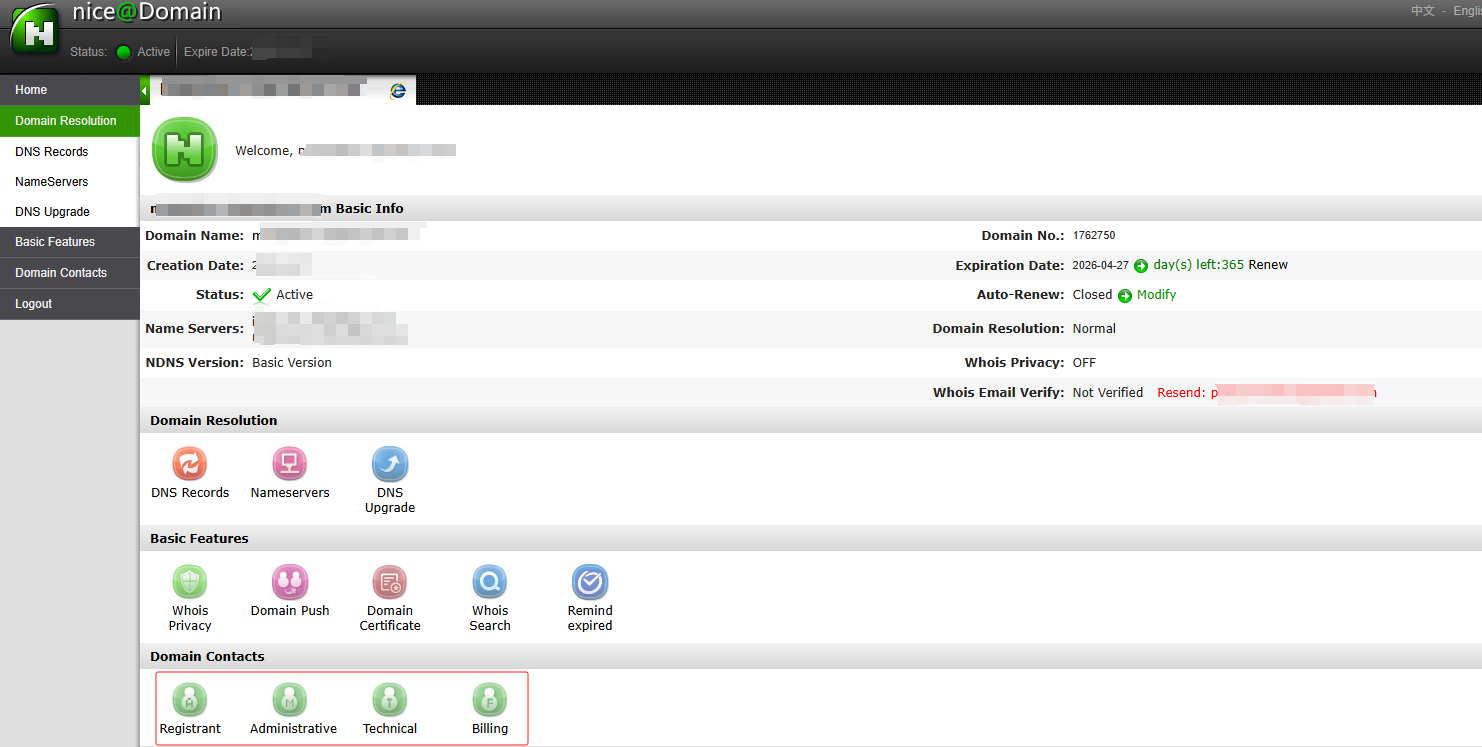
Choose Change Default WHOIS
Fill in the required fields and then click Okay.
Future domains will now automatically default to this contact on the WHOIS.
Enlarges the table by opening it in a full screen dialogOpen
Registrant
Primary contact and owner of the domain.
Administrative
Person authorized to interact with the domain's registrar.
Technical
Person authorized to handle technical details of the domain, such as renewal and administrative notices.
Billing
Person authorized to receive the invoice for registration and renewal fees.
When contact verification is required
Registries under ICANN mandate require that all contact changes be verified before accepted. An email will be delivered to request verification. Contact Changes that are not verified within 10 days will be canceled. If canceled, contact changes will need to be resubmitted.
- Domain Names
- Registering Domains
- Domain Reseller
- Domain Pricing
- Whois Lookup
- Our Products
- Dedicated Server
- Cloud Server
- SSL Certificates
- Business Email
- Company Profile
- About NiceNIC
- Domain News
- Payment Method
- Agreements
- Customer Support
- Help Center
- Submit a Ticket
- Contact Us
- Report Abuse
- Follow





- Address
- ROOM 52 12/F BLOCK B, WING CHAI INDUSTRIAL BUILDING, 27-29 Ng Fong St, San Po Kong, Hong Kong