






DNS (Domain Name System) is the backbone of the internet, connecting domain names to IP addresses, allowing browsers to find websites. But even the smallest DNS error can break your website, making it inaccessible to visitors and potentially causing a loss of traffic, customers, and revenue.
In this article, we’ll cover the most common DNS mistakes that can break your website and how to fix them. Whether you're a business owner, developer, or someone new to domain management, these tips will help you avoid costly issues.
1. Incorrect DNS Record Configuration
What Are DNS Records?
DNS records are like instructions that tell your website where to go. The most common DNS records include:
-
A Record: Directs the domain to an IP address.
-
CNAME Record: Redirects one domain to another.
-
MX Record: Directs email traffic to the correct mail server.
Common Mistakes
Wrong A Record Configuration: If your A record points to the wrong IP address, visitors will be directed to the wrong server, causing your website to go down.
CNAME Errors: A CNAME record that incorrectly points to a non-existent or incorrect domain can cause issues with loading your website or subdomains.
Incorrect MX Records: If MX records are set incorrectly, your email will fail to deliver, or you may not receive emails at all.
How to Fix It
-
Always double-check your DNS records after any updates.
-
Use your registrar’s DNS management tools to verify your settings are correct.
-
For complex configurations, consider using DNS management tools or services for better oversight.
2. DNS Propagation Delays
What is DNS Propagation?
When you make changes to your DNS records, it takes time for the updated records to be distributed across the globe. This process is called DNS propagation.
Common Mistakes
Expecting Immediate Changes: DNS changes don’t take effect immediately. It can take anywhere from 24 to 48 hours for DNS changes to propagate fully.
Overlooking TTL Settings: The Time to Live (TTL) setting determines how long DNS records are cached by servers. If TTL is set too long, it can delay the propagation of your changes.
How to Fix It
-
Be patient: Allow up to 48 hours for changes to fully propagate.
-
Set reasonable TTL values: Typically, set TTL to a shorter time when testing changes. Once confirmed, you can increase it to a longer duration.
3. Domain Name and Server Mismatch
What Is Domain and Server Mismatch?
Your domain needs to point to the correct web server to be accessible online. If your domain’s A record or CNAME record is incorrect, users won’t be able to access your website.
Common Mistakes
-
Wrong IP Address: If your domain is pointing to an outdated or incorrect IP address, visitors will see an error.
-
Wrong Server Settings: A mismatch between your domain and the hosting server can lead to "server not found" or "404 errors".
How to Fix It
-
Ensure that your A record points to the correct IP address of your hosting server.
-
If you’ve changed servers, update your DNS records to reflect the new server’s details.
4. Not Using DNSSEC (DNS Security Extensions)
What Is DNSSEC?
DNSSEC is a set of protocols designed to protect DNS data from tampering and attacks, such as man-in-the-middle attacks.
Common Mistakes
Not Enabling DNSSEC: Without DNSSEC, your website is vulnerable to DNS cache poisoning, where attackers could redirect your visitors to malicious sites.
How to Fix It
Enable DNSSEC through your domain registrar or DNS provider. This ensures that all DNS responses are authenticated and secure.
Ensure that both your domain and DNS service support DNSSEC.
5. Using Unreliable or Slow DNS Providers
Why DNS Provider Quality Matters
Your DNS provider is responsible for the speed and reliability of your DNS resolution. Using a slow or unreliable provider can negatively impact website performance and availability.
Common Mistakes
Choosing a Low-Quality DNS Provider: Some low-cost DNS providers may offer slower resolution times, increasing page load times or even causing outages.
Not Using Secondary DNS: Not having a backup DNS provider can leave your website vulnerable to downtime if your primary provider experiences issues.
-
Choose a reputable DNS provider with a strong track record for uptime and performance.
-
Consider using a secondary DNS provider to ensure your website remains up in case of primary provider failure.
6. Forgetting to Update DNS Records After Website Changes
What Are Website Changes?
Changes to your website—like moving to a new host, changing email providers, or setting up a new subdomain—often require updates to your DNS records.
Common Mistakes
Not Updating DNS After Hosting Migration: When you migrate your website to a new host, forgetting to update the A record can lead to your site becoming inaccessible.
Failing to Update MX Records After Email Provider Changes: If you switch email providers, you must update your MX records to ensure proper email delivery.
-
After any website or hosting changes, verify that your DNS records are updated accordingly.
-
Keep track of all DNS changes made when updating servers, hosts, or services.
7. How to Avoid These DNS Mistakes
-
Regularly Review DNS Settings: Periodically check your DNS settings to ensure everything is configured correctly.
-
Set Up Alerts: Many domain registrars offer DNS monitoring tools that can notify you if there are issues or changes with your DNS records.
-
Use Reliable DNS Management Tools: Consider using advanced DNS management platforms that offer higher reliability and enhanced security.
Conclusion
DNS mistakes can break your website and cause a host of issues, from slow load times to total downtime. By understanding common DNS mistakes and how to avoid them, you can keep your website running smoothly and your users happy. Always stay proactive with DNS management and ensure that your settings are correct and secure.
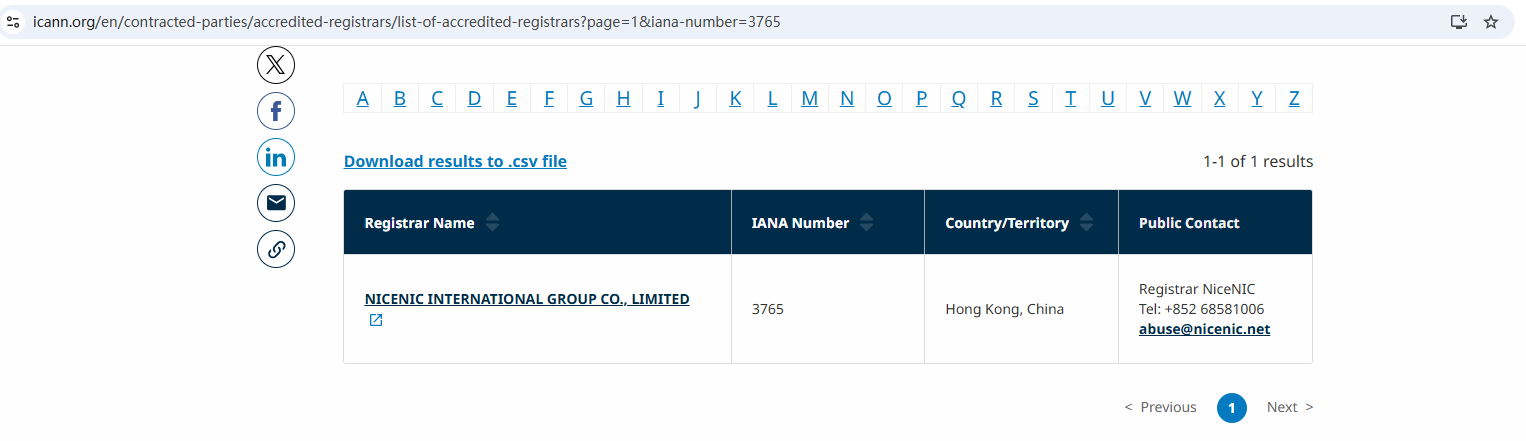
As an ICANN-accredited registrar, Nicenic provides professional support to ensure that your DNS settings are always accurate and secure. If you're unsure or need help with DNS configurations, reaching out to your registrar or DNS service provider can save you time and frustration.
Next News: Domain Lock vs Registry Lock: What’s the Difference?