






When it comes to securing your website and protecting your domain from potential attacks, DNSSEC (Domain Name System Security Extensions) is one of the most effective tools available. This security protocol ensures the integrity and authenticity of your domain’s DNS data, preventing malicious actors from hijacking your website or tampering with your domain’s settings. However, many domain owners are unsure about what DNSSEC is, whether they need it, and how to implement it.
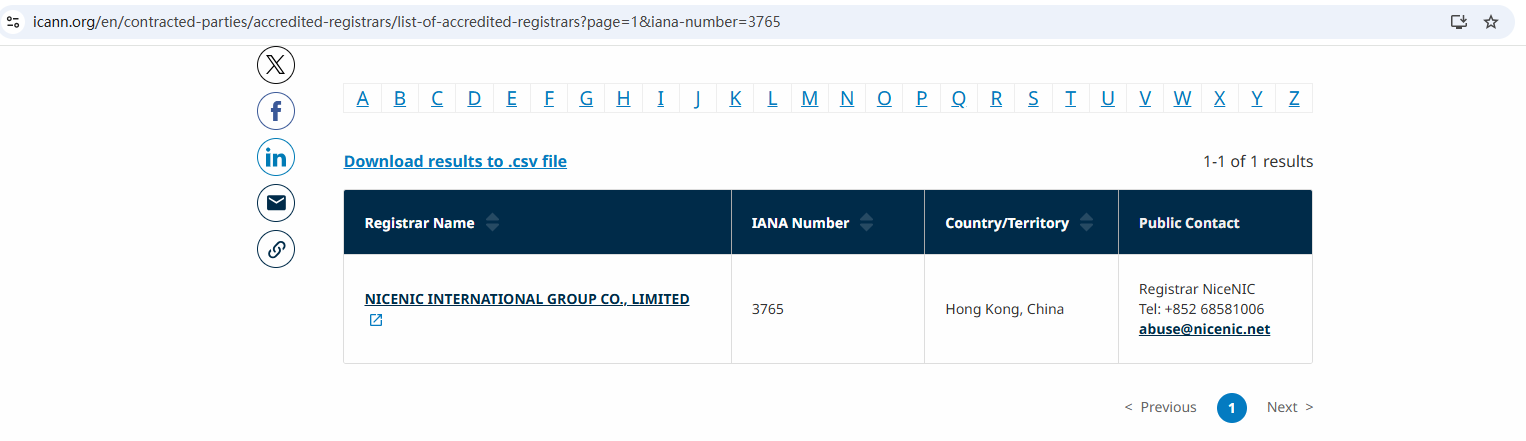
In this article, we’ll explain what DNSSEC is, why you should enable it, and how it can help protect your domain. We’ll also discuss potential challenges and how to implement DNSSEC with Nicenic, a trusted ICANN-accredited registrar.
What is DNSSEC?
DNSSEC is a suite of extensions to DNS that adds an additional layer of security to the DNS lookup process. It works by digitally signing DNS data so that it cannot be tampered with while in transit. This prevents attacks such as DNS spoofing, cache poisoning, and man-in-the-middle attacks, ensuring that the data users receive is authentic and unaltered.
How DNSSEC Works
-
Digital signatures: DNSSEC uses cryptographic signatures to verify the integrity of DNS responses.
-
Prevents tampering: By verifying the authenticity of DNS data, DNSSEC ensures that users are directed to the correct website and not a malicious site.
-
Uses public key infrastructure (PKI): DNSSEC relies on PKI technology to secure the DNS system and prevent unauthorized changes.
Why is DNSSEC Important?
Enabling DNSSEC provides several benefits, especially for high-value websites or businesses that rely on their online presence. Here are a few reasons why you should consider using DNSSEC:
1. Protection from DNS Spoofing
DNS spoofing attacks occur when an attacker manipulates the DNS cache to redirect users to fraudulent websites. By enabling DNSSEC, you add an additional layer of security that prevents attackers from hijacking your domain and sending visitors to fake sites.
2. Increased Security for Website Visitors
For any website handling sensitive data, such as financial transactions or personal information, DNSSEC ensures that users are directed to the authentic website. This reduces the risk of man-in-the-middle attacks, where attackers intercept and alter communication between users and websites.
3. Enhanced Trust for Your Brand
Implementing DNSSEC demonstrates your commitment to security and builds trust with your users. With DNSSEC, users can be confident that the website they are visiting is authentic and has not been compromised.
Benefits of Enabling DNSSEC
1. Improved Website Security
By adding DNSSEC, you are protecting your website from unauthorized changes to DNS data. This ensures that your domain remains safe from DNS-based attacks and prevents hackers from redirecting traffic to malicious sites.
2. Mitigate Domain Hijacking Risks
Domain hijacking is a common threat where attackers steal your domain by changing your domain registrar’s settings. With DNSSEC enabled, it is much more difficult for attackers to hijack your domain since DNSSEC validates the authenticity of DNS responses.
3. Prevention of Phishing Attacks
Phishing attacks, where attackers use fake websites to steal users’ personal information, can be prevented with DNSSEC. By ensuring the authenticity of DNS records, you are helping to protect your users from phishing attacks.
Challenges and Limitations of DNSSEC
1. Not All Domains Support DNSSEC
While DNSSEC is supported by most popular domain extensions (TLDs) like .com, .net, and .org, not all TLDs support DNSSEC. Before enabling DNSSEC, you need to check whether your domain and registrar support this security feature.
2. Complexity of Setup
For non-technical users, setting up DNSSEC can be challenging. It requires configuring DNS records and key management, which might require some technical knowledge. However, Nicenic provides easy-to-follow instructions and support to help you enable DNSSEC without hassle.
3. Ongoing Key Management
Once DNSSEC is enabled, it requires ongoing management of cryptographic keys. If the keys are lost or misconfigured, your domain could become inaccessible. Ensure that you maintain proper key management practices or work with your registrar to ensure smooth operation.
Enabling DNSSEC is relatively simple but requires a few steps to configure correctly. Here’s how to do it with Nicenic:
Step 1: Check DNSSEC Support
Make sure your domain and registrar support DNSSEC. Nicenic, as an ICANN-accredited registrar, supports DNSSEC for eligible domain extensions.
Step 2: Log in to Your Nicenic Account
-
Go to the Nicenic control panel and log in to your account.
Step 3: Enable DNSSEC for Your Domain
-
Find the domain you want to secure and look for the DNSSEC settings.
-
Follow the instructions to enable DNSSEC for your domain. Nicenic offers an easy-to-use interface to help you enable DNSSEC quickly.
Step 4: Test DNSSEC Configuration
-
After enabling DNSSEC, use online DNSSEC validation tools to verify that it is working properly.
Frequently Asked Questions (FAQ)
1. Will enabling DNSSEC affect my website?
No, enabling DNSSEC does not affect the functionality of your website. It simply adds an extra layer of security to protect your domain and DNS records.
2. Can I disable DNSSEC later if I change my mind?
Yes, you can disable DNSSEC at any time through your registrar’s control panel. However, disabling DNSSEC will remove the extra protection, leaving your domain vulnerable to attacks.
3. Does DNSSEC cost anything?
At Nicenic, enabling DNSSEC is typically offered as a free service, depending on the domain extension. Check with your registrar to confirm.
Enabling DNSSEC is one of the best ways to protect your website and domain from DNS-based attacks, including DNS spoofing, domain hijacking, and phishing. While there are some technical considerations, the benefits far outweigh the challenges, especially for high-value domains or businesses that rely on their online presence.
As an ICANN-accredited registrar, Nicenic makes it easy to enable DNSSEC and protect your domain. By following the simple steps in this guide, you can significantly enhance the security of your website and give your users the confidence they need to trust your online services.
Next News: What Is .biz? Everything You Need To Know About .biz Domains