






Losing a domain is one of the most avoidable mistakes a domain owner can make. Whether it’s for your business, personal project, or brand, a domain is a critical digital asset. If you let it expire, you risk losing access to your website, email, and online presence.
The good news is, you can easily avoid losing your domain by staying on top of your renewal process and enabling auto-renewal.
This guide will walk you through the key steps and checklist items to ensure your domain never expires.
Why Renewing Your Domain on Time Is Crucial
Domain registration isn’t a one-time action. It's a long-term commitment that requires regular attention. Here's why timely renewal matters:
1. Loss of Access to Services
Your domain is the gateway to your website, email, and online presence. If it expires and isn't renewed, these services will become unavailable — often immediately.
2. Domain Expiry = A Target for Competitors
Once a domain expires, it goes through several phases, including the Redemption Grace Period (RGP) and Pending Delete. Once the redemption period ends, the domain is deleted and can be picked up by anyone else.
3. Extra Fees for Redemption
If you let your domain expire, recovery during the RGP stage will incur higher fees than regular renewal, potentially up to several hundred dollars.
4. Brand Damage
For businesses and brands, losing control of a domain can hurt your credibility, confuse your customers, and damage trust.
How Auto-Renewal Helps You Avoid Losing Your Domain
Auto-renewal is the most effective way to prevent domain expiration. When enabled, it automatically renews your domain before it expires, eliminating the risk of forgetting to renew.
Benefits of Auto-Renewal:
-
Automatic Payment: When enabled, your domain will be renewed automatically without you needing to take action.
-
No Renewal Worries: You won’t need to remember renewal dates or fear missing a renewal.
-
Peace of Mind: Auto-renewal ensures your domain remains active, even if you’re busy.
How to Set Up Auto-Renewal for Your Domain
Setting up auto-renewal is easy and can save you from future headaches. Follow these steps to enable auto-renewal for your domain:
Step 1: Log In to Your Registrar Account
-
Go to your domain registrar’s website and log in to your account.
Step 2: Navigate to Your Domain Management Section
-
Find the section where your domains are listed and select the domain you wish to set up for auto-renewal.
Step 3: Enable Auto-Renewal
-
Look for the auto-renewal settings for the selected domain.
-
Toggle the auto-renew option to “enabled.”
-
Save your settings.
Step 4: Verify Your Payment Method
-
Ensure that the payment method associated with your account is current and has sufficient funds.
-
Add a backup payment method if necessary, such as an alternate card or PayPal account.
Regularly Check Your Payment Details
Even with auto-renewal enabled, it’s essential to regularly review your payment details to ensure a smooth renewal process.
Steps to Take:
-
Update your credit card details if your card expires or if there are any changes to your billing address.
-
Check your payment method at least once a year to ensure there are no issues.
-
If your registrar sends a payment confirmation, make sure to check it and ensure everything is in place.
While auto-renewal is designed to take care of your domain renewal, it’s still a good idea to set up manual reminders in case something goes wrong.
Set Reminders:
-
30 days before expiration: This gives you time to review your renewal process, update payment methods, and ensure auto-renewal is working.
-
Confirmation reminder: After auto-renewal is processed, check your email for the renewal confirmation to ensure everything went smoothly.
If you want to reduce the risk of missing renewal dates entirely, consider renewing your domain for multiple years.
Benefits of Multi-Year Registration:
-
Long-Term Peace of Mind: Renewing for multiple years (e.g., 3, 5, or 10 years) reduces the chances of forgetting about renewal.
-
Discounted Rates: Many registrars offer discounts for longer registration periods.
-
Reduced Risk of Expiration: With longer registration periods, you don’t have to worry about annual renewals as often.
How to Recover an Expired Domain
Even with the best preparations, sometimes domains may expire. If that happens, don’t panic! Here's how you can recover your domain:
Step 1: Check the Status of the Domain
-
Log in to your registrar account and check the status of your expired domain.
-
If the status is Redemption Grace Period, the domain is still recoverable, but you’ll need to pay a redemption fee.
Step 2: Contact Your Registrar
-
Contact your registrar’s support team immediately and initiate the domain recovery process.
Step 3: Pay the Redemption Fee
-
Pay the redemption fee in addition to the regular renewal cost.
-
Note that the redemption fee is typically much higher than a standard renewal fee.
Step 4: Wait for Domain Recovery
-
Once the domain is restored, the registrar will reactivate it.
-
It may take several hours to a few days for your domain to be fully operational again, depending on your registrar.
To ensure you never lose your domain again, follow these proactive steps:
-
Enable auto-renewal for all your domains.
-
Keep your contact information and payment methods up-to-date.
-
Set reminders for your domains and review renewal policies regularly.
-
Consider multi-year domain registration for valuable domains.
-
Renew your domain early, especially if you’re unsure about auto-renewal settings.
Renewing your domain on time is critical to maintaining your online presence and ensuring your digital assets are secure. By enabling auto-renewal, regularly checking your payment details, and staying proactive with renewal reminders, you can ensure that your domain remains under your control and active at all times.
At Nicenic, we provide an easy and secure platform for domain management, backed by ICANN accreditation. With our transparent renewal policies and 24/7 expert support, you can trust that your domain renewal process will be smooth and hassle-free.
Don’t wait until your domain expires, take action today and safeguard your digital assets for the future with Nicenic. As an ICANN-accredited registrar, we are committed to offering you the highest standards of security, compliance, and service.
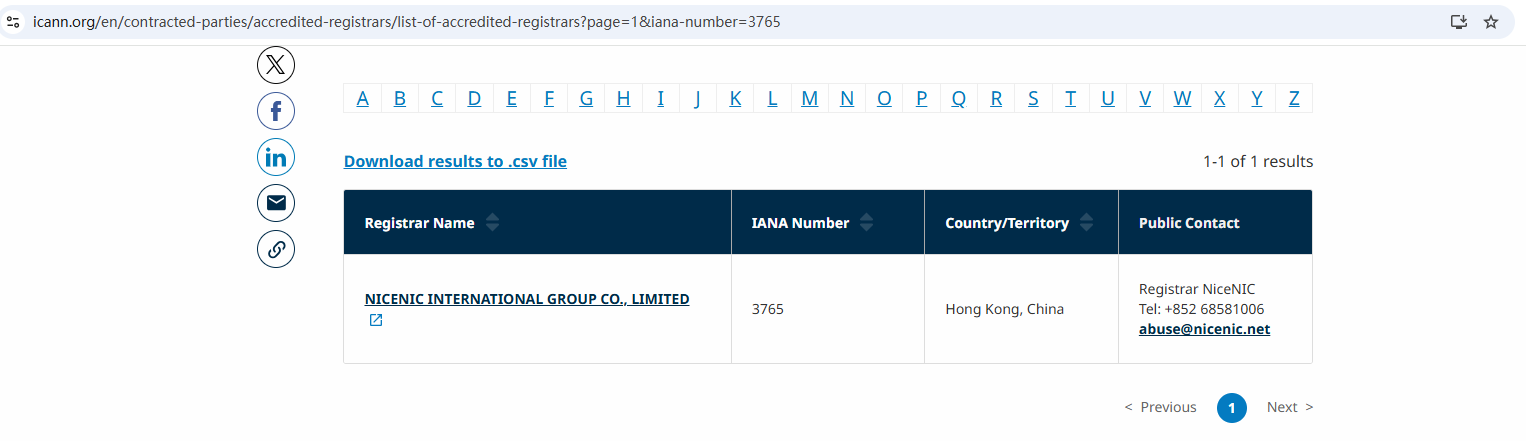
Nicenic stands as that trusted partner for brands, developers, entrepreneurs, and businesses worldwide.
Next Nonuveaus: NiceNIC vs GoDaddy : Tarifs, Support, Sécurité & Contrle